> For the complete documentation index, see [llms.txt](https://docs.rhqnetwork.biz/llms.txt). Markdown versions of documentation pages are available by appending `.md` to page URLs; this page is available as [Markdown](https://docs.rhqnetwork.biz/rhq-docs-en/vps-and-dedicated/windows/password-reset.md).
# Change your Windows password
Change the Windows password of your VPS or dedicated server through Remote Desktop.
Follow these steps carefully to change your Windows password through Remote Desktop.
{% stepper %}
{% step %}
### Connect with RDP
Use Remote Desktop Connection (RDP) to access your VPS. See [Connect with RDP](/rhq-docs-en/vps-and-dedicated/windows/rdp-connect.md) if you need help.
{% endstep %}
{% step %}
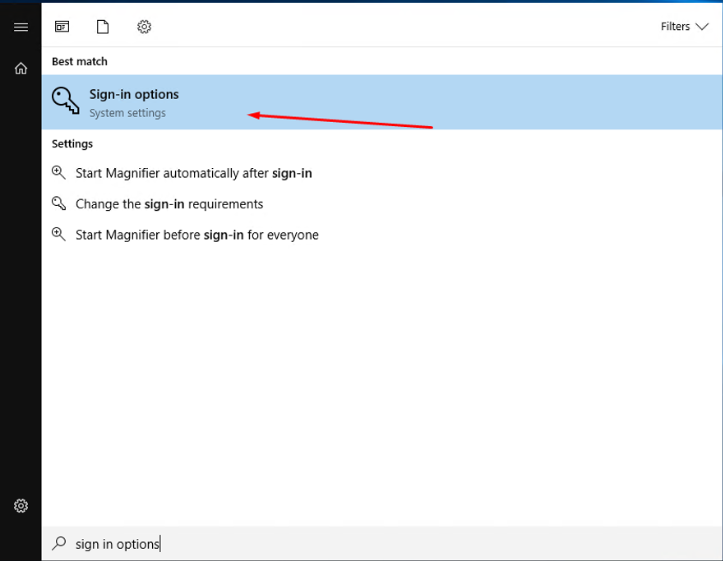
### Search for "sign-in"
Open the Windows Start menu and search for **sign-in**.
{% endstep %}
{% step %}
### Open "Change Password"
Press Enter to go to the **Change Password** page.
{% endstep %}
{% step %}
### Enter the current password
Type your current password and click **Next**.
{% endstep %}
{% step %}
### Set the new password
Enter and confirm the new password. Add a password hint to help you remember it later.
{% endstep %}
{% endstepper %}
{% hint style="warning" %}
Choose a strong password. Keep the hint meaningful to you, but not obvious to others.
{% endhint %}